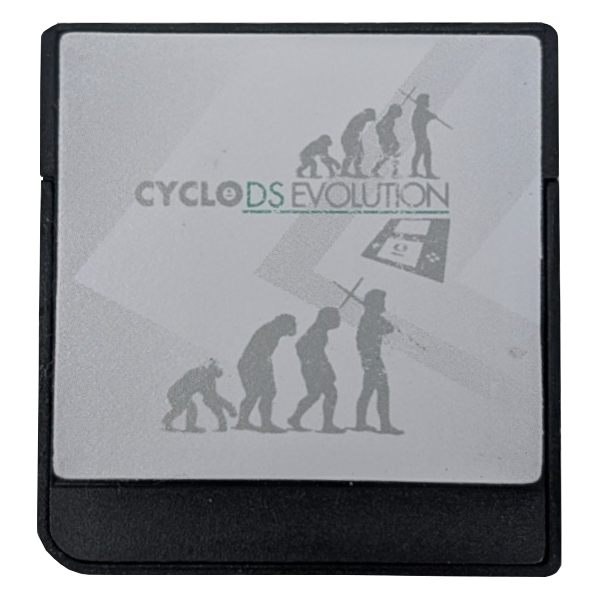
CycloDS Evolution
cyclopsds.com
Cart Info
This cart is an original hardware family, shared by the EDGE cart. It has some unique features, such as onboard storage for the kernel so that it doesn't need to be loaded off the SD card, and it also supports RTS. The DSi version of this cart, the CycloDS iEvolution, is the first DSi-mode cart made. Unfortunately, this entire cart family is fairly obscure hardware, so not many loader options currently exist. The stock kernel and nds-bootstrap + AKNext/TWiLight are the only currently usable options.
Kernel Info
Although the stock kernel may contain some extra features like RTS, it is outdated and unable to load some newer DS games. Therefore, AKMenu-Next or TWiLight Menu++ are the recommended options for this cart. However, a setup guide for the stock kernel is also provided below if you would like to use it instead.
Setup Guide:
-
Format the SD card you are using by following the formatting tutorial.
-
Download the latest release of AKMenu-Next Flashcart Edition.
-
Extract the downloaded
akmenu-next-flashcart.zipfile with 7-Zip. -
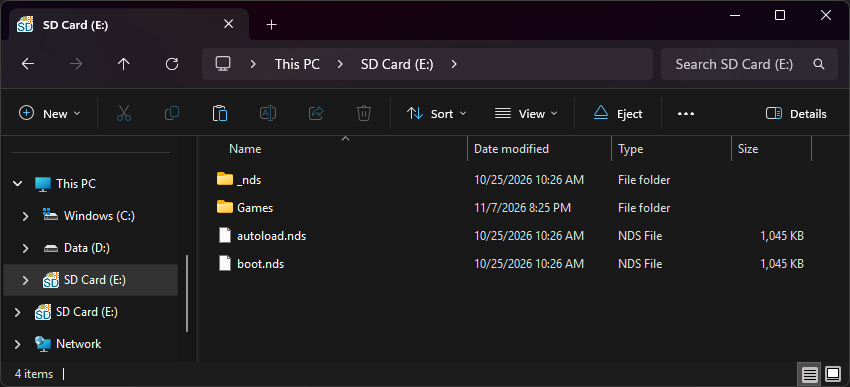
From within the AKMenu-Next files, copy the following files/folders to your SD card root:
_ndsfolderboot.nds
-
Make a copy of
boot.ndsand rename it toautoload.nds.- This will make the cart autoboot AKMenu-Next. Remember to update this file when updating AKNext in the future.
-
Download the latest release of nds-bootstrap.
-
Extract
nds-bootstrap.zip, and copy the contents into the_ndsfolder on your SD card. -
If you'd like to be able to use cheats on your games, download a cheat database.
-
Download the
usrcheat.datfile from the download link in the post. Copy this file to_nds/akmenunext/cheats/on your SD card. -
Next, create a
Gamesfolder on your SD card root, and place your.ndsgame ROMs inside.- You can also create additional folders to help with organizing/categorizing your ROMs.
-
The files on your SD card should now look like this:
-
Insert the SD card back into your cart, plug the cart into your DS, and see if it boots into the menu.
Post-Setup Enhancements
AKMenu-Next supports emulator plugins for playing GBA, GB/C, NES, and other retro consoles. See the AKNext docs for setup:
Game Covers
AKMenu-Next can show game covers on the top screen. To use them, select one of the included cover themes: Starlight Covers, Blue Skies Game Covers, or DSpico Game Covers. Then add cover images to your SD card. Covers made for Pico-Launcher work too.
To create your own custom covers, check out the cover creator. Save each cover in the _nds/covers_name folder on your SD card, named after its ROM file without .nds (for example, MyGame.bmp).
Themes
Looking to customize your AKMenu-Next interface? Check out the AKMenu and AKNext themes repositories:
-
Format the SD card you are using by following the formatting tutorial.
-
Download the latest release of TWiLight Menu++ Flashcart Edition.
-
Extract the downloaded
TWiLightMenu-Flashcard.7zfile with 7-Zip. -
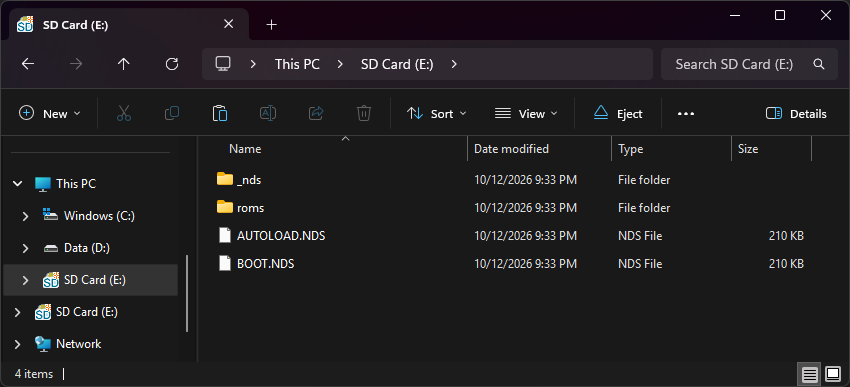
From within the extracted TWiLight Menu++ files, copy the following files/folders to your SD card root:
_ndsfolderromsfolderBOOT.NDS
-
Make a copy of
BOOT.NDSand rename it toAUTOLOAD.NDS. -
The files on your SD card should now look like this:
-
Insert the SD card back into your cart, plug the cart into your DS, and see if it boots into TWiLight Menu++.
Post-Setup Enhancements
Plugins
While GBA game support is already included in TWiLight Menu++, to emulate retro consoles like GB/C, NES, and others or to play media such as videos, you will need to install addons to TWiLight Menu++:
Game Covers
TWiLight Menu++ supports showing game box art. DS-Homebrew details multiple options to download and install covers for your games.
Themes
Looking to customize your TWiLight Menu++ interface? Check out the DS-Homebrew themes repository:
-
Format the SD card you are using by following the formatting tutorial.
-
Download the CycloDS Evolution 2.3 kernel.
-
Open/extract the zip file, and copy
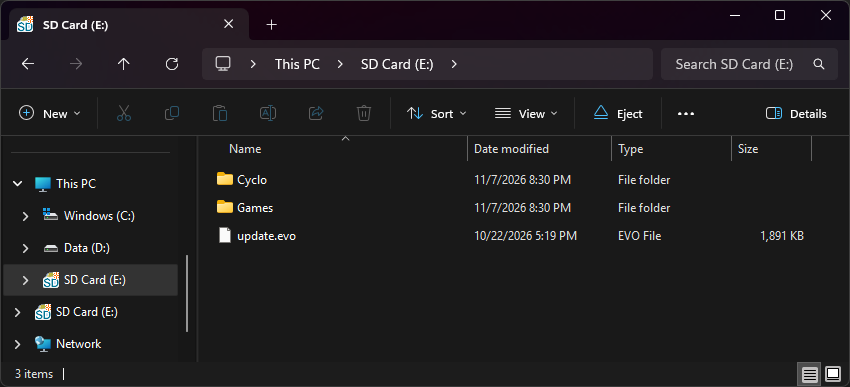
update.evointo the root of your SD card. -
If you'd like to be able to use cheats on your games, you will need a cheat database.
-
Download the
user.evoCheatsfile from the download link in the post. -
On your SD card root, create a
Cyclofolder, then placeuser.evoCheatsinside it. -
Create a
Gamesfolder in your SD card root, and place your.ndsgame ROMs inside.- You can also create additional folders to help with organizing/categorizing your ROMs.
-
The files on your SD card should now look like this:
-
Insert the SD card back into your cart, plug the cart into your DS, and see if it boots into the menu.
Post-Setup Enhancements
Emulators
To emulate retro consoles on your DS like GBA, GB/C, NES, and others, you will need to download emulators.