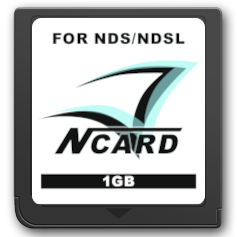
N-Card & Clones
N-Card, DS Linker, DS Fire Link, Ultra FlashPass EX, NeoFlash MK5, Ultra N-Card, ASNAND & ASIC Carts.
Note
Usage of this guide requires you to have a Slot 2 USB reader for your N-Card and a Nintendo DS or DS Lite system or a modded Nintendo DSi/3DS with GodMode9i.
Setup Guide:
- Insert the N-Card into your DS and power it on. Format your N-Card by holding Start + Select while booting the card on your DS. If available, perform a "Full Format". If this option is not available, perform a "Quick Format". Then power off your DS.
- Insert your GBA Slot-2 writer device for your N-Card/clone into a DS/DS Lite, then connect the writer via USB to your PC. Power on your DS and choose USB uDisk mode if prompted. Your N-Card should now appear on your computer as a drive.
- Download the N-Card uDisk v1.45 package
- Open/extract the zip file, and copy the contents into the root of your N-Card.
- Switch off your DS and unplug the Slot 2 adapter.
- Allow your N-Card to be updated to uDisk 1.45 if prompted, then power off your DS after it's done.
- Insert your GBA Slot-2 writer device for your N-Card/clone into a DS/DS Lite, then connect the writer via USB to your PC. Power on your DS and choose USB uDisk mode if prompted. Your N-Card should now appear on your computer as a drive.
- Delete autorun1.nds and then switch off your DS and unplug the Slot 2 adapter.
- You can use the Slot 2 Adapter in USB uDisk mode to copy homebrew and games from your computer to the N-Card's internal storage.
- Download the latest release of GodMode9i from Github or from Universal-Updater if on a Modded 3DS. For Modded DSi consoles, download
GodMode9i.dsito your DSi SD card and launch it with Twilightmenu++ or AKMenu-Next. - Insert the N-Card into your DSi/3DS and power it on. Format your N-Card by holding Start + Select while booting the card on your DS. If available, perform a "Full Format". If this option is not available, perform a "Quick Format". Then power off your DSi/3DS.
- Download the N-Card uDisk v1.45 package
- Make a folder called
NCardon your DSi/3DS SD card, then open/extract the zip file, and copy the contents into the theNCardfolder on your DSi/3DS SD card. - Boot up your DSi/3DS and go into GodMode9i from your chosen menu and go to the
[sd:]option. - Go into the
NCardfolder and press the L Shoulder button onxmenu.datandautorun1.ndsto select them. - Press the Y button to add them to the clipboard.
- Press B twice to go back to the main menu, and go to the
[fat:]option. - Press the Y button and choose "Copy Files".
- Reboot your DSi/3DS and boot up the N-Card. Allow your N-Card to be updated to uDisk 1.45 if prompted, then power off your DSi/3DS after it's done.
- Boot up your DSi/3DS and go into GodMode9i from your chosen menu.
- Go to the
[fat:]option and move the cursor toautorun1.nds. Press the X button to delete autorun1.nds and then switch off your DSi/3DS. - GodMode9i can be used to copy homebrew and games from your DSi/3DS SD card to the N-Card's internal storage.