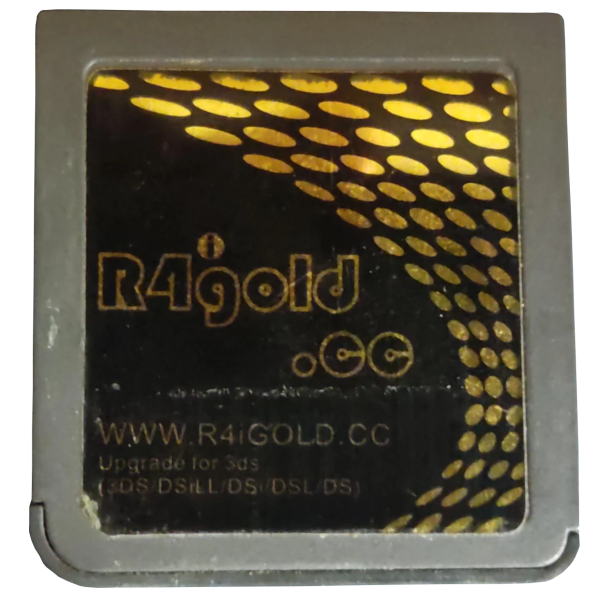
Original R4iGold.cc
r4igold.cc
Cart Info
The original r4igold.cc cart is a clone of the Galaxy Eagle. Unfortunately, the Galaxy Eagle itself is a bad clone of the Acekard 2i, and neither AKAIO nor BL2CK work properly on it. While BL2CK boots, it will freeze on a white screen when attempting to load any commercial ROM file. Therefore, AKMenu-Next is the recommended primary kernel for Galaxy Eagle and related carts, so that nds-bootstrap can be used to load games. As an alternative option, the stock kernel is also provided, but it will likely be able to run less games than AKMenu-Next.
Setup Guide:
-
Download the latest release of AKMenu-Next Flashcart Edition.
-
Extract the downloaded
akmenu-next-flashcart.zipfile with 7-Zip. -
From within the akmenu-next files, copy the following files/folders to your SD card root:
_ndsfolderBOOT.NDS
-
Download the latest release of nds-bootstrap.
-
Extract the downloaded
nds-bootstrap.zipfile with 7-Zip. -
Copy the contents of the files from the extracted
nds-bootstrap.zipfile to the_ndsfolder on your SD card. -
If you'd like to be able to use cheats on your games, download a cheat database.
-
You will need the
usrcheat.datfile from the download link in the post. Copy this file to_nds/akmenunext/cheats/on your SD card. (Create thecheatsfolder if it doesn't exist) -
Open the
Autobootfolder within the AKMenu-Next files. -
Copy the contents of the
Galaxy Eaglefolder (do not copy the folder itself) to the root of your SD card. -
Create a
Gamesfolder in your SD card root, and place your.ndsgame ROMs inside. You can also create additional folders to help with organizing/categorizing your ROMs. -
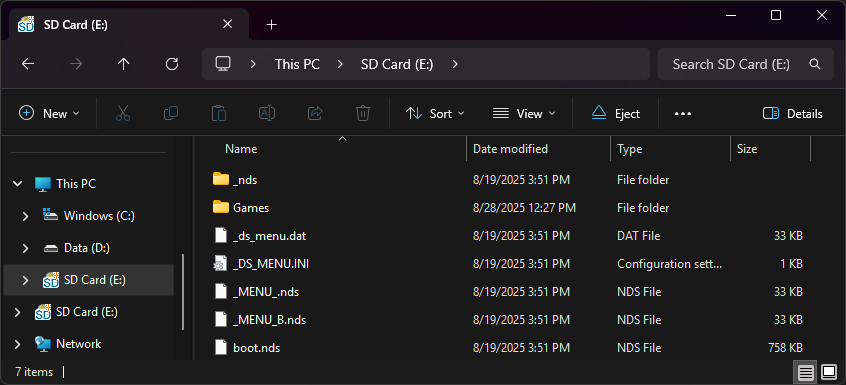
The files on your SD card should now look like this:
-
Insert the SD card back into your cart, plug the cart into your DS, and see if it boots into the menu.
-
Press
Startand go toSettings. FindOther Settingsby pressing the R shoulder button to cycle through the settings and changeGame Loadertonds-bootstrapand Save.
Post-Setup Enhancements
Game Covers
AKMenu-Next can show game covers on the top screen. To use them, select one of the included cover themes: Blue Skies Game Covers, DSpico Game Covers or Starlight Covers. Then add cover images to your SD card. Covers made for Pico-Launcher work too.
To create your own custom covers, check out the cover creator. Save each cover in the _nds/covers_name folder on your SD card, named after its ROM file without .nds (for example, MyGame.bmp).
Themes
Looking to customize your menu? Check out the AKMenu themes repository:
Kernel Info
Keep in mind that this kernel is outdated. Some newer games will refuse to boot, but this is useable alternative if AKMenu-Next's nds-bootstrap loader fails to load something.
-
Format the SD card you are using by following the formatting tutorial.
-
Download the R4iGold.cc v2.6 kernel.
-
Open/extract the zip file, and copy the contents into the root of your SD card.
-
If you'd like to be able to use cheats on your games, download a cheat database.
-
You will need the
cheat.datfile from the download link in the post. Copy this file to the_SYSTEM_on your SD card. -
Create a
Gamesfolder in your SD card root, and place your.ndsgame ROMs inside. You can also create additional folders to help with organizing/categorizing your ROMs. -
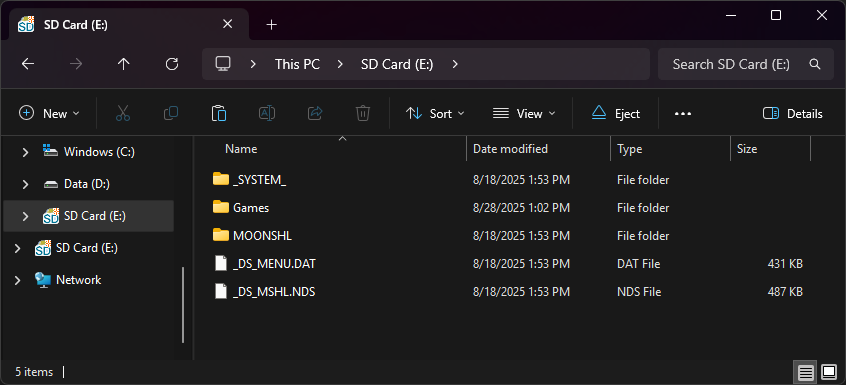
The files on your SD card should now look like this:
-
Insert the SD card back into your cart, plug the cart into your DS, and see if it boots into the menu.